
In a previous post exploring how to extract and match faces from video media, I became more aware of frames, frame rates, and how they can impact frame extraction.
As I was writing that post, Alexis Brignoni released frame-counts-galore, “a python wrapper around the ffprobe functionality from FFmpeg”, which leverages the same underlying FFmpeg tooling API Forensics’ Exponent Faces uses to extract frames from video files.
In Season 3, Episode 2 of the Digital Forensics Now Podcast, Brignoni explains with Heather Charpentier that the script extracts and forensically documents every frame, with the goal of accurately counting all applicable frames while accounting for variable frame rate (VFR).
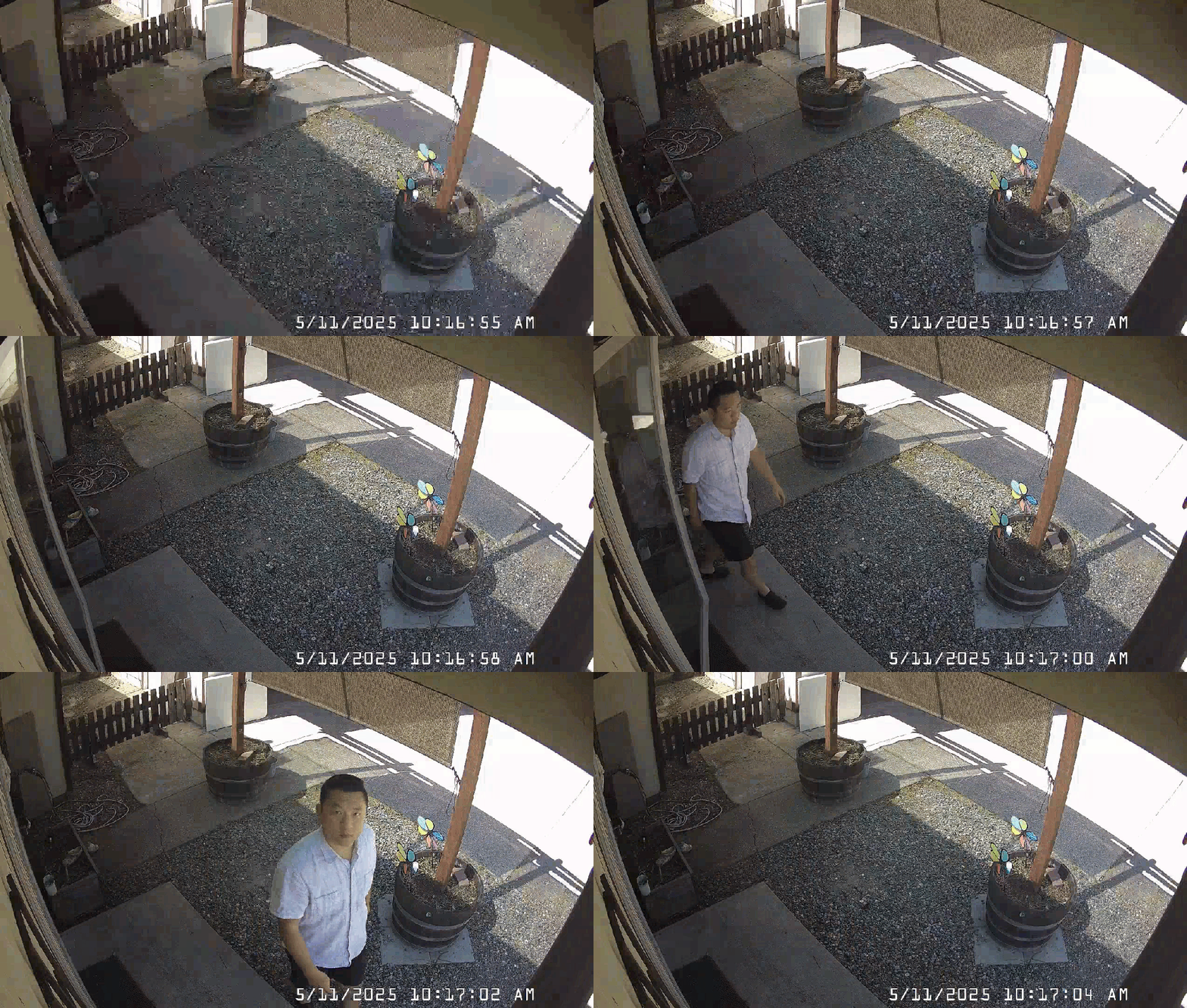
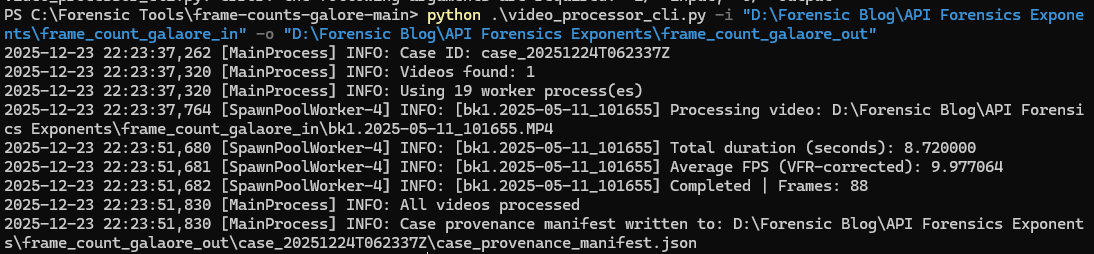
Intrigued, I checked out the script by processing a clip originating from my security camera system and is about 10 seconds.
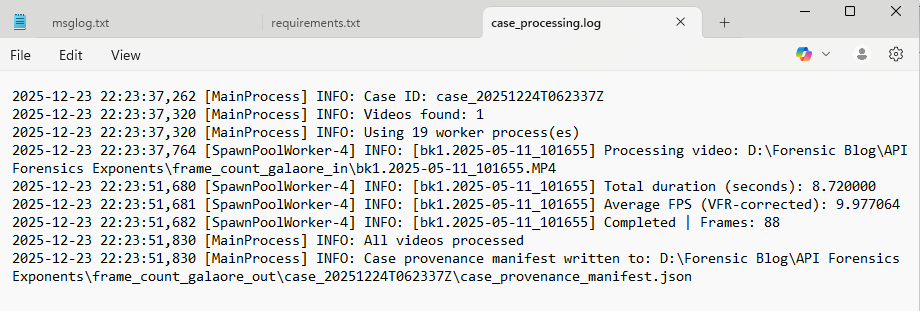
Loved that I was able to just download the script and give this a quick go. New to Python? Check out Brignoni’s video on getting started.
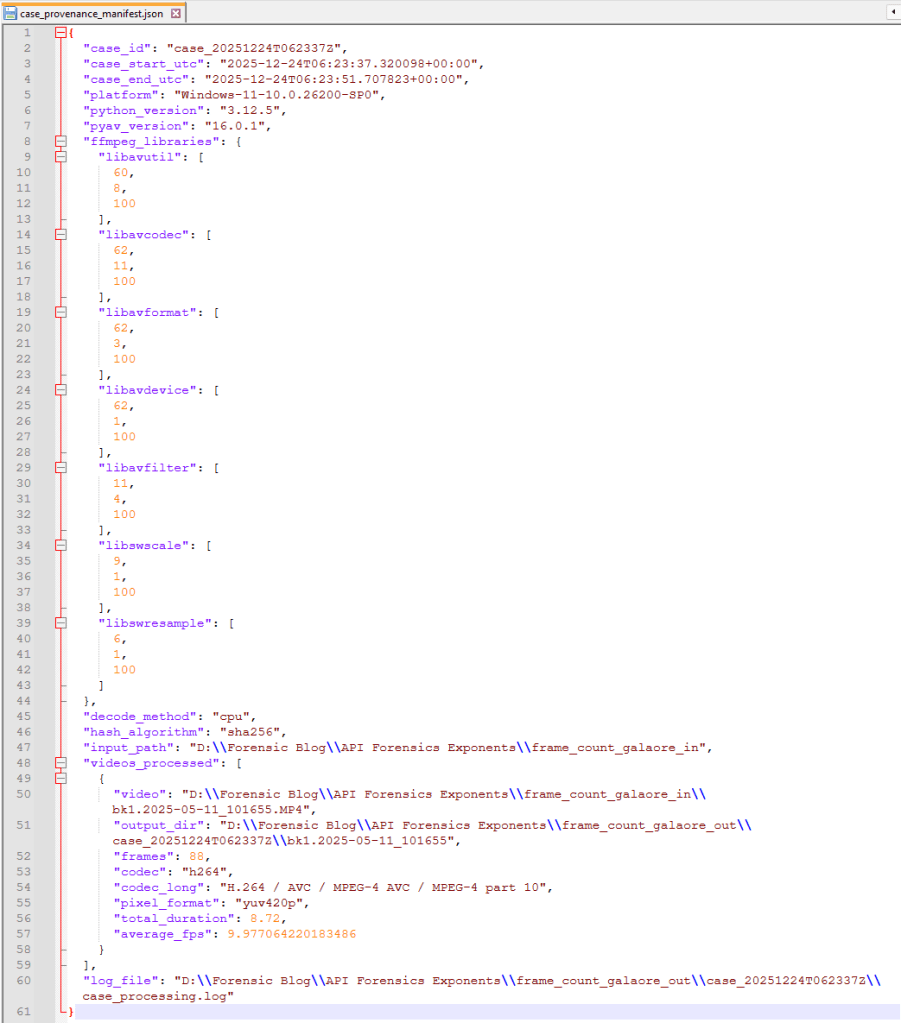
Hashing Pixels
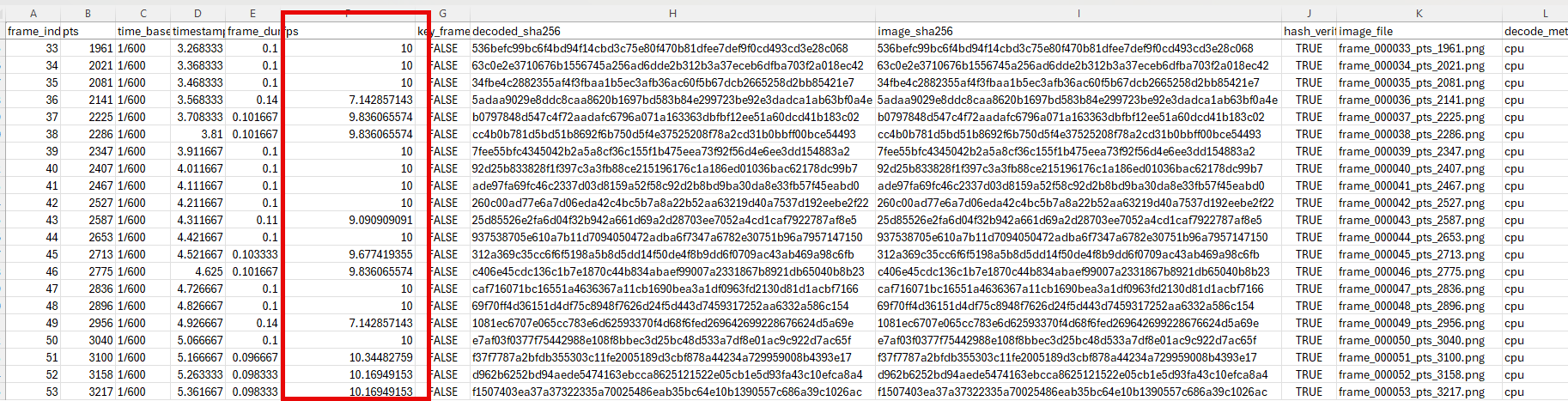
I especially appreciated Brignoni’s explanation how the script hashes the _RGB pixel data_ of each frame before it is written to the file system, then hashes the _RGB pixel data_ again after the extracted frame is written and reloaded. This is to demonstrate that not only each frame is unique, but the pixel data before and after the exaction is the same.
To explore this further, I used ChatGPT to break the concept into smaller parts so I could visualize each step using the outputs from frame-counts-galore as a baseline: a single extracted frame and the hash of the RGB pixel data the script calculated for it.
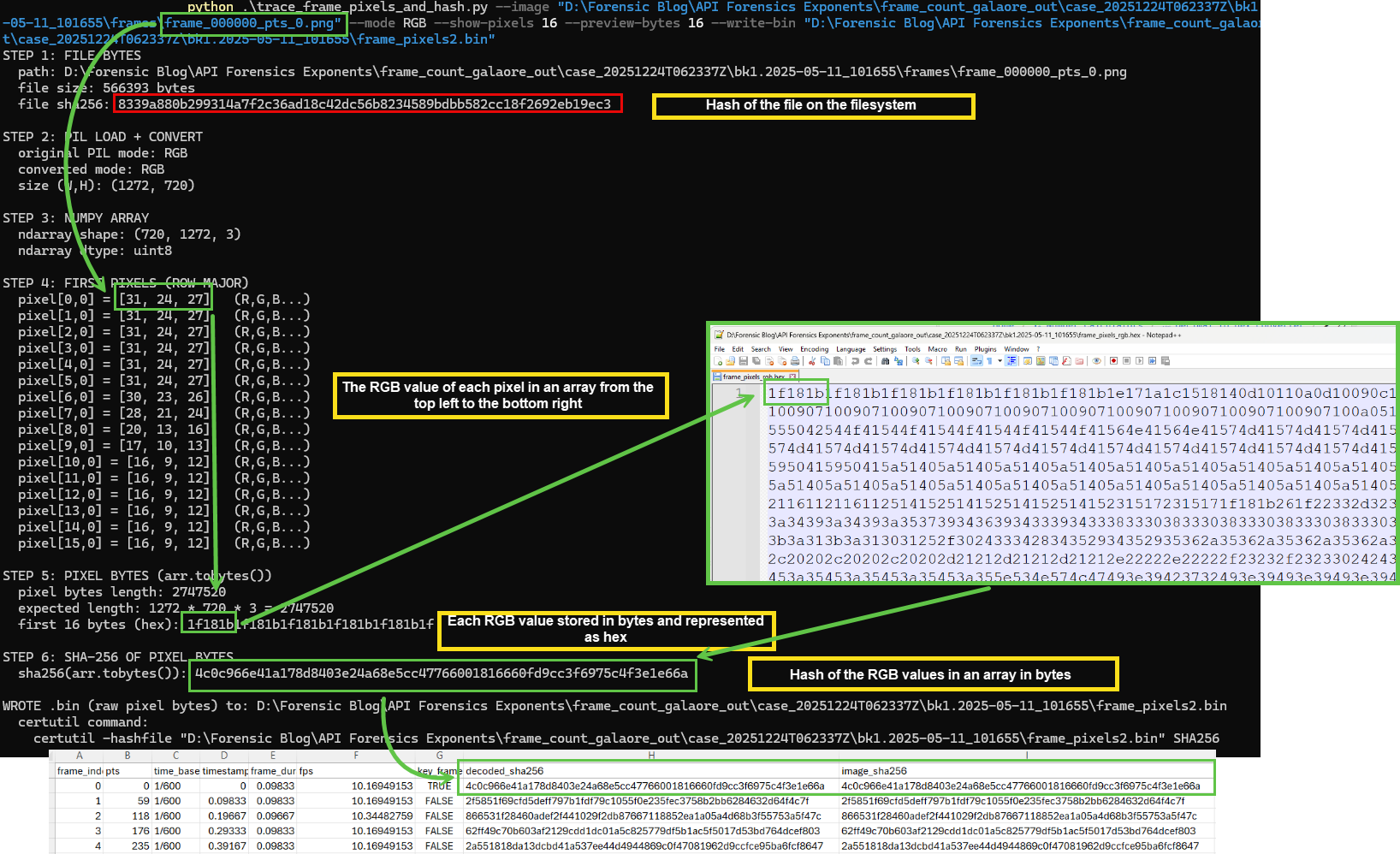
After PyAV opens the video container, it decodes the video stream into individual frames. Each frame is then converted into an RGB pixel buffer and represented as a NumPy ndarray (via frame.to_ndarray(format="rgb24")). The pixel values are laid out in row-major order: left-to-right across each row, then top-to-bottom across rows. NumPy’s ndarray.tobytes() returns the raw uint8 bytes for those RGB values in that order.
To visualize this process for a single extracted frame, I printed the first few RGB values, then printed a preview of the corresponding byte stream in hex. I also wrote the full byte stream to a .hex file, decoded that hex back into a raw .bin file, and hashed the .bin so certutil was hashing the same bytes.

Processing frame-counts-galore output through Excire
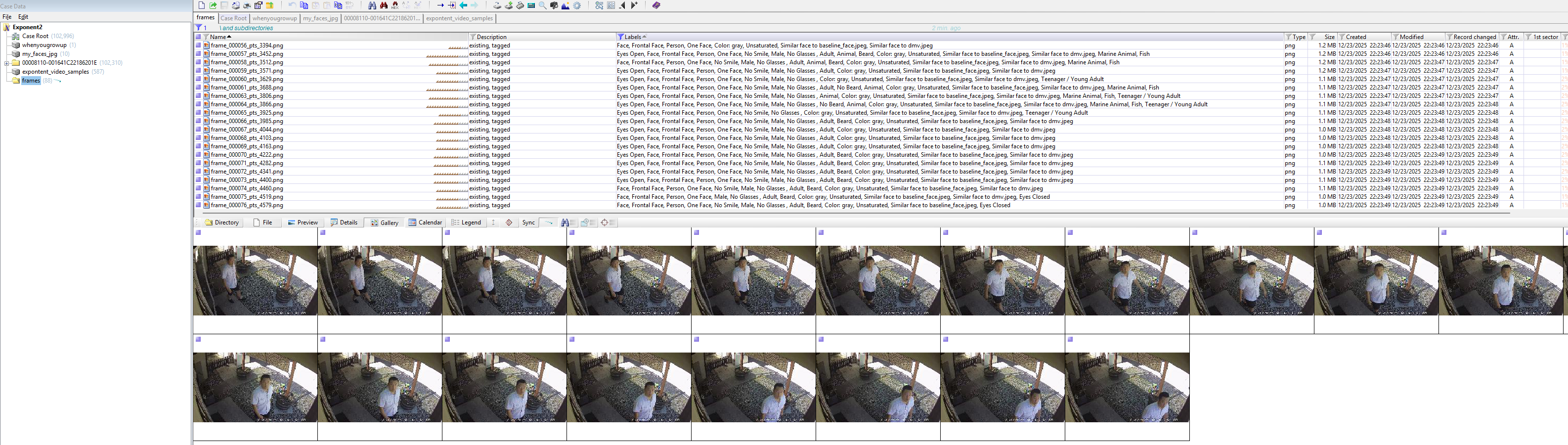
For funsies, I ran Excire in X-Ways Forensics against the output directory of the extracted frames. Frame-counts-galore extracted 88 frames. Using Excire, 20 extracted frames contained a face that matched dmv or baseline_face. This could be another way to extract more frames from video for X-Ways Forensics to process through Excire.
Closing
While unlikely a tool I will use in my current role, I am grateful for the time Brignoni spent not only writing the script but also discussing it on the podcast with Charpentier; I learned a lot. If you want to learn more, check out the script and give it a go, especially if your work requires to get an accurate count of frames from video depicting contraband.
Feature image generated with WordPress’ Jetpack AI Assistant.
Notes:
Technical Notes on FFmpeg for Forensic Video Examinations – SWGDE
Learn How to Compare Frames for Digital Forensics in Amped FIVE


Leave a Reply