This post is a chronological reflection on my observations while following the development of Exponent Faces from version 1.2.432 in May 2024 through version 2.2.71.9467 in December 2025. It describes my early exploration, the limitations I observed on a small test dataset, the steps I took to validate those results, and collaboration with the developer. It concludes with later versions in which I observed substantially improved matching consistency and processing performance, and emphasizes the value of practitioner feedback in tool development.
Overview of API Forensics Exponent X-Tensions for X-Ways Forensics
API Forensics introduced a library of X-Tensions, collectively known as Exponent 1.0, for X-Ways Forensics in late 2023. A subscription provides access to the full suite of their X-Tensions, each addressing specific use cases to further extend the utility of X-Ways Forensics.
Continuing to expand the value of the Exponent suite, API Forensics released Exponent 2.0 in July 2025. This major revision introduced improvements to the Exponent Faces X-Tension and the release of SQLite Explorer. Most recently, CSV to SQLite was released in September 2025.
| Exponent X-Tension | Description |
| Exponent CloudMail | Collects mail from third-party mail providers using the IMAP protocol. |
| Exponent CSV to SQLite | Imports and merges character separated values (CSV) files into SQLite databases for efficient review and analysis |
| Exponent Faces | Provides facial recognition to detect, match, and extract faces from videos and photographs. |
| Exponent Load Ready | Generates load files from X-Ways cases for eDiscovery. |
| Exponent Mobile Media | Imports pictures and videos into X-Ways Forensics from iOS and Android devices. |
| Exponent Mobile Messaging | Imports SMS, MMS, and iMessages from mobile devices into X-Ways Forensics. |
| Exponent SQLite Explorer | Allows exploration, querying and examination of SQLite databases from X-Ways Forensics. |
My day-to-day work rarely requires the full breadth of what Exponent offers, but that hasn’t diminished my curiosity. Of the available X-Tensions, I spent the most time with Exponent Faces, using several versions since May 2024. Even with intermittent use over the past year, it has been encouraging to see consistent development of a library that meaningfully extends X-Ways Forensics’ capabilities.
Initial Exploration
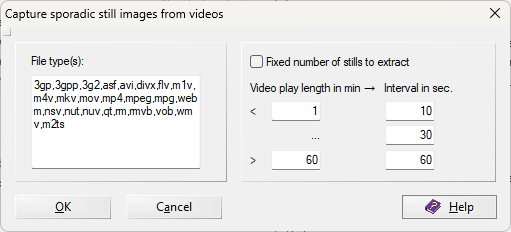
Beginning with Exponent v1.2.432, I familiarized myself with the workflow for extracting faces from video. The process involves extracting frames, evaluating those frames for the presence of faces, and then extracting detected faces from qualifying frames. Both the extracted frames and faces are added as child objects to the original video file. By filtering on the appropriate label in X-Ways Forensics, viewing extracted faces in a gallery becomes straightforward.
X-Ways Forensics’ Excire module also provides face detection and facial characteristic analysis. However, without face extraction, reviewing those files often requires a more manual “seek and find” workflow when identifying specific faces.
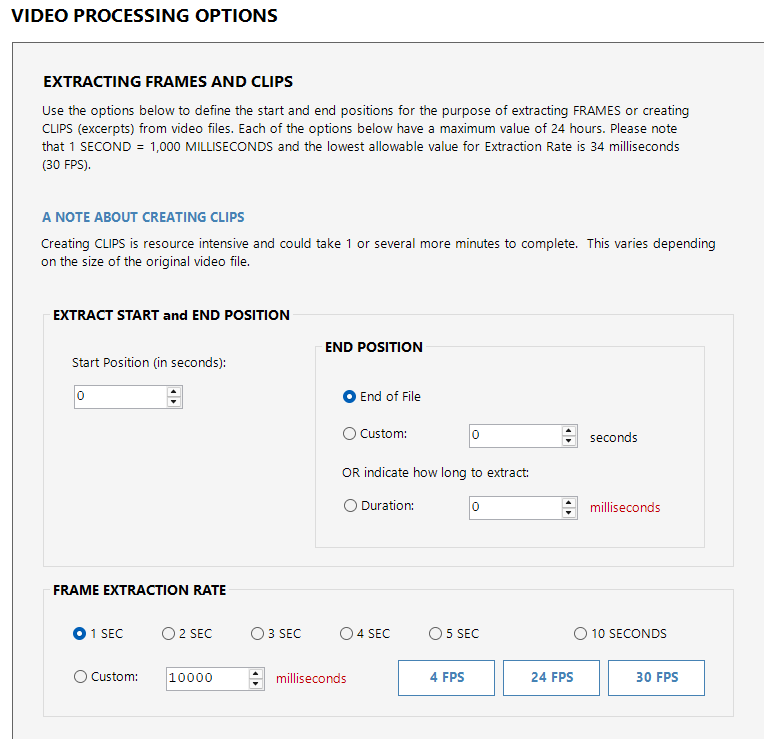
Each capability serves a purpose depending on investigative context. Excire allows additional filtering labels by picture categories (for example, faces combined with nudity), while Exponent Faces offers granular control over frame extraction rates and the ability to define start and end points within a video. This also enables extraction of specific clips for inclusion in reports or demonstrations.
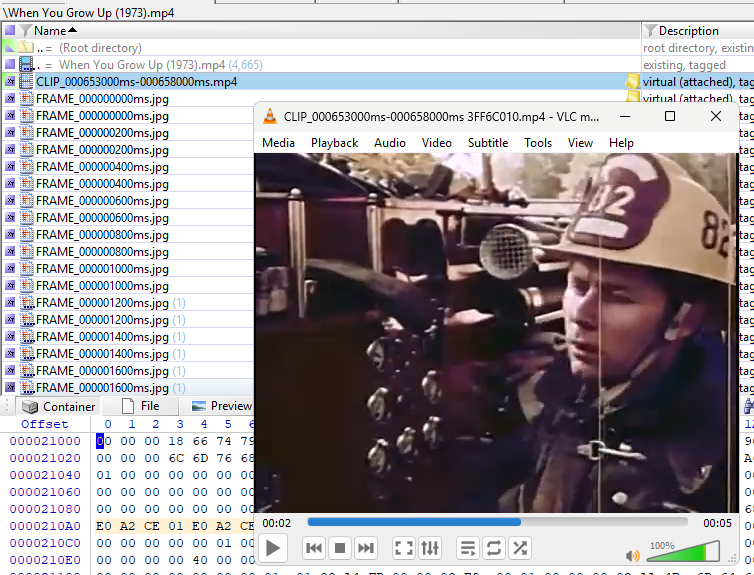
Among the first videos I used was a publicly accessible video in the public domain, When You Grow Up (1973).
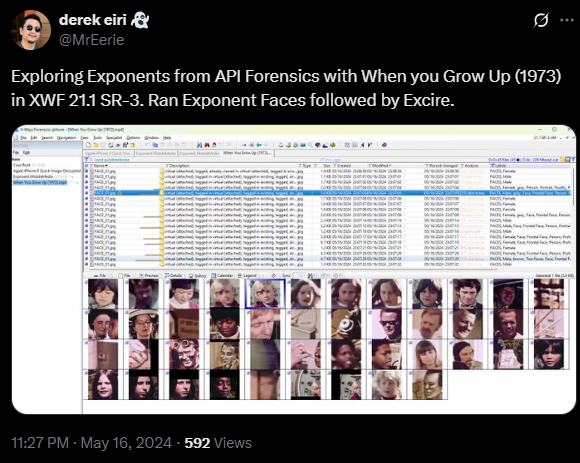
In X-Ways Forensics, I tagged the video file only and processed it with Exponent Faces using mostly default options: Extract Frames, Detect Faces, and up to 10 face extractions at a Medium detection precision level. The only configuration change I made was setting the frame extraction rate to five seconds.
The result was an accessible set of detected faces, added as child objects to the extracted video frames. Exponent Faces also applied labels in the X-Ways Forensics case indicating face detection and included a gender evaluation.
If a face of interest is identified, a video clip corresponding to the segment in which the face is present can be extracted.

Recognizing the limitations of analyzing a single video file, I turned to the LIVE Video Quality Challenge (VQC) Database from The University of Texas at Austin, which simulates real-world variation in video quality and distortion. This variability offers a more representative dataset for analysis.
With each video at approximately 10 seconds in length, the dataset provides a diverse collection of short clips:
585 videos of unique content , captured using 101 different devices (43 device models) by 80 different users with wide ranges of levels of complex, authentic distortions.
Using the same configuration applied to When You Grow Up (1973), but running Exponent Faces v1.3.88.9007, the dataset yielded approximately 1,400 extracted frames, around 300 detected faces, and roughly 80 extracted face images.
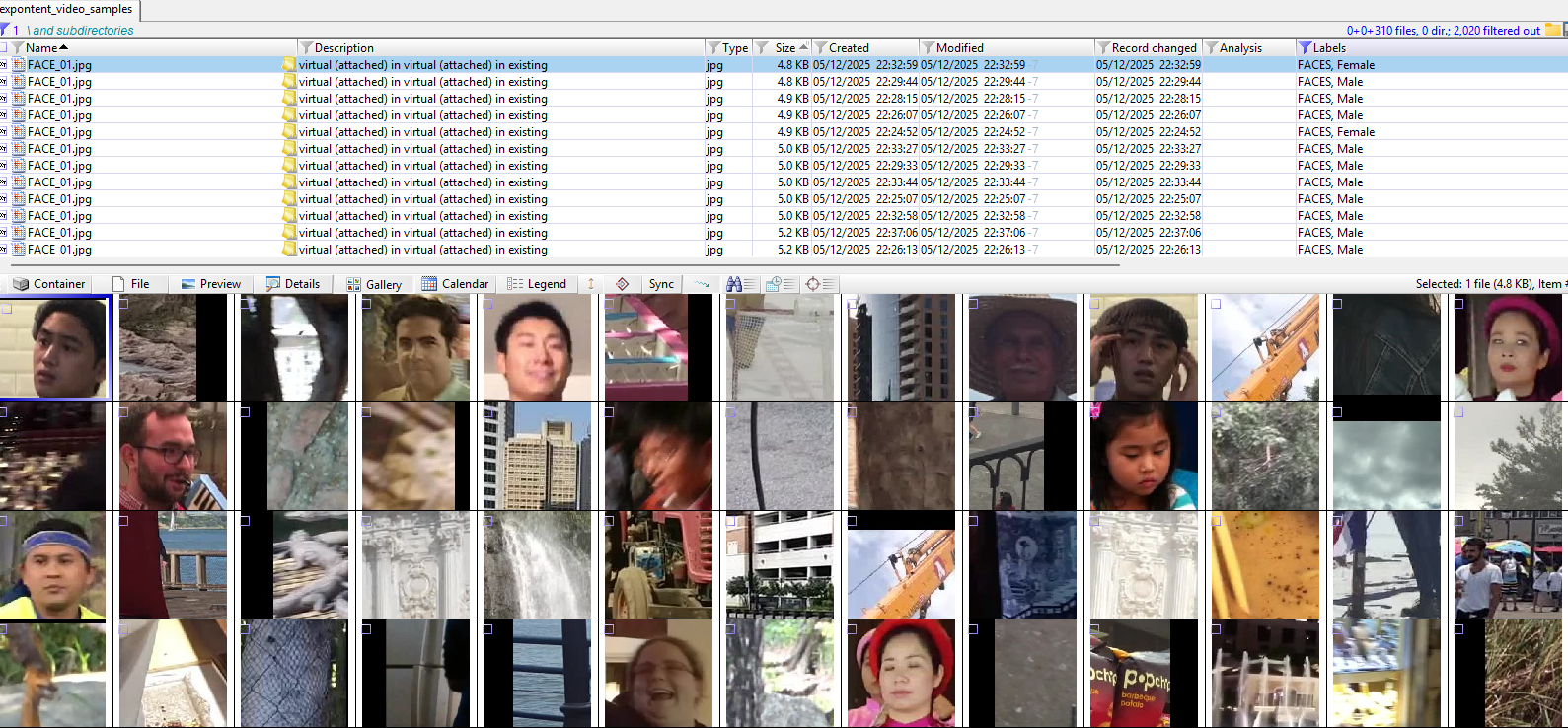
Reflecting on my previous exploration of Excire, I became curious how Exponent Faces’ face matching capability might compare.
Matching My Face with Exponent Faces
To explore the face-matching feature, I focused on a sample extracted from my home security camera system.

With Exponent Faces v1.3.88.9007, I enrolled two reference images: a photograph resembling the image I have on record with the California Department of Motor Vehicles (dmv) and a selfie (baseline_face). The dmv reference image is slightly distorted and taken nearly a decade ago, while the selfie is a current and accurately scaled reflection of my face. To maximize the likelihood of a match, I configured frame extraction to occur every two seconds.

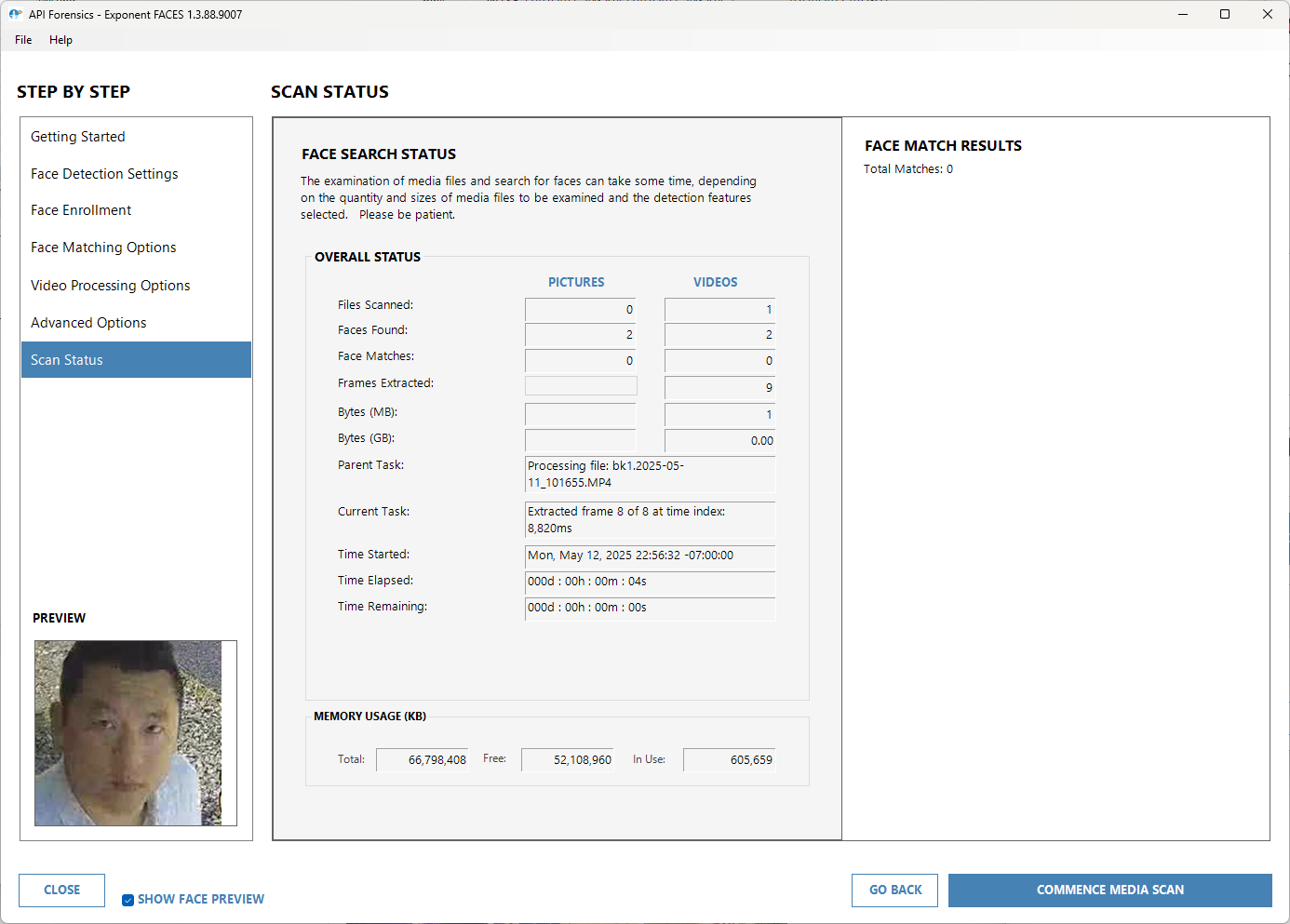
Video Actions: Extract Frames
Face Detection Actions: Detect AND Match Faces
Detection Precision Level: Medium (default)
Face enrollment: two jpeg files
Face Similarity Threshold: 30% (recommended)
Video Processing Options: Frame Extraction Rate, 2 SEC
Advanced Options: NA
Interestingly, Exponent Faces detected two faces, but neither matched the enrolled references. The process also extracted frames at approximately one-second intervals, generating nine child objects.
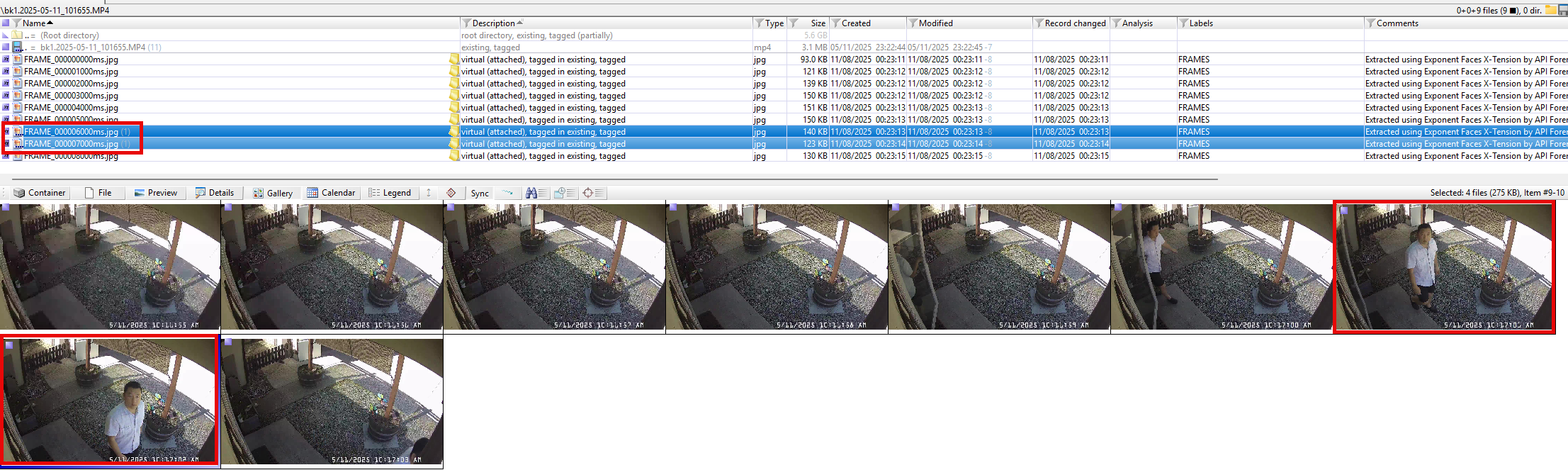
I repeated the frame extraction and face-matching process several times, eventually reducing the Face Similarity Threshold to 1%. No matches were found. For my test parameters and dataset, this was an unexpected result.
Matching My Face with Excire
I then repeated the same exercise using Excire (for X-Ways Forensics v21.1 or later). I extracted a minimum of nine frames from the same 10-second clip and enrolled the same two reference images used with Exponent Faces. I configured Excire’s strictness to a score of 5 on the matching scale (with 7 as the default).
Excire extracted only three frames from the security camera footage, one of which contained a face. That face successfully matched both the dmv and baseline_face reference images.
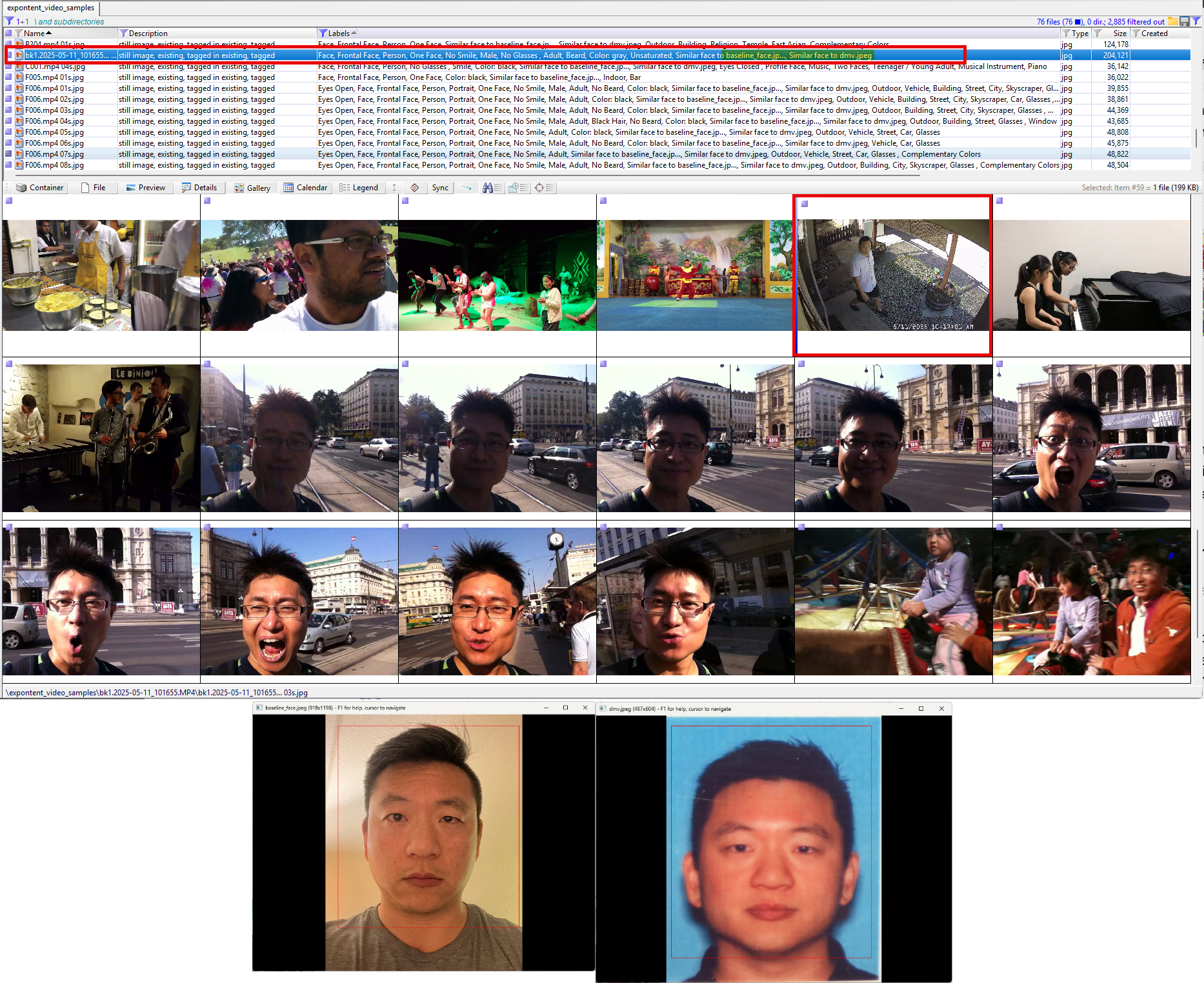
When extracting frames and matching faces from the LIVEVQC dataset, I observed that other faces of Asian descent were detected. As the subject in the reference images and target video, I have authority to declare that the other faces it matched with are false positives.
Curiosity and Experimentation
Noting the different outcomes between Excire and Exponent Faces, I created a new dataset consisting entirely of images of myself in an attempt to answer an ego-centric question: why Excire was able to detect and match my face, while Exponent Faces could not.
Exponent Faces
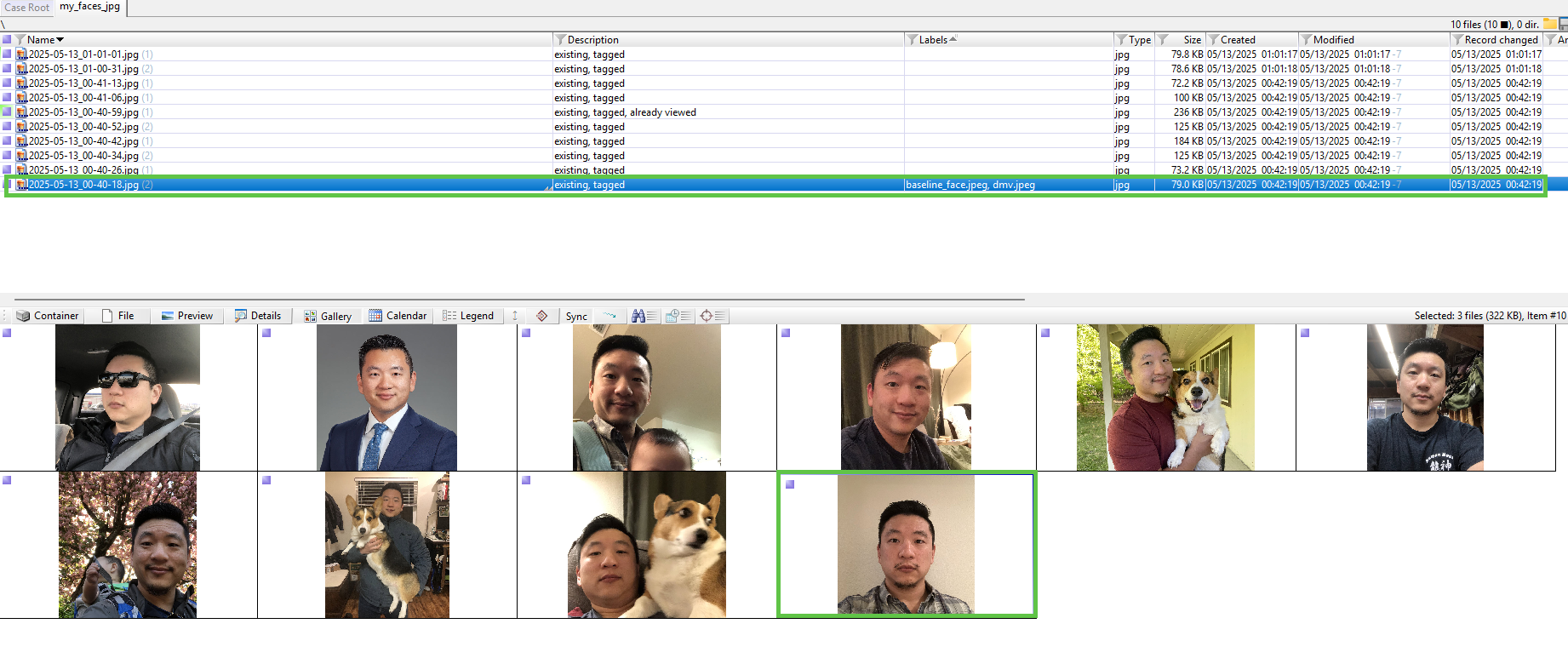
Using the same parameters from the previous execution of Exponent Faces v1.3.88.9007, including setting the Face Similarity Threshold to 1%, all ten samples successfully extracted faces. However, only one of the extracted faces matched the baseline_face reference image.
This outcome indicated that while face detection was functioning reliably, the matching component did not work for my specific dataset.
Excire
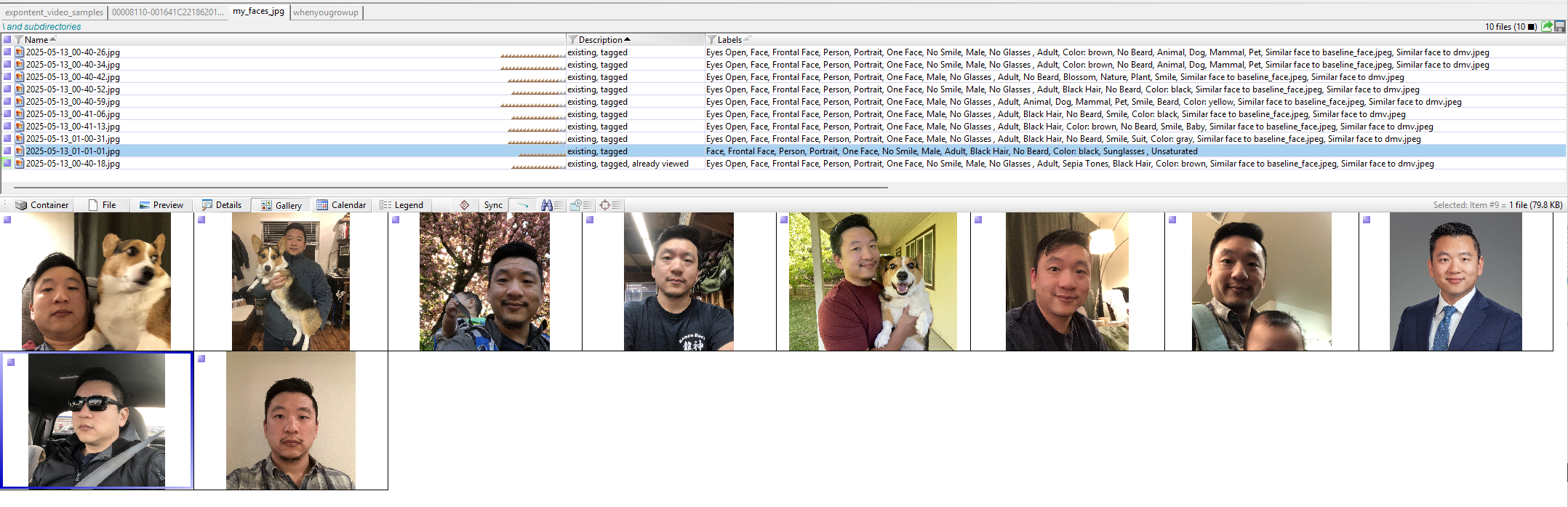
In contrast, Excire (for X-Ways Forensics v21.1 or later) detected a face in all ten images and successfully matched nine of the ten to the dmv and baseline_face reference images.
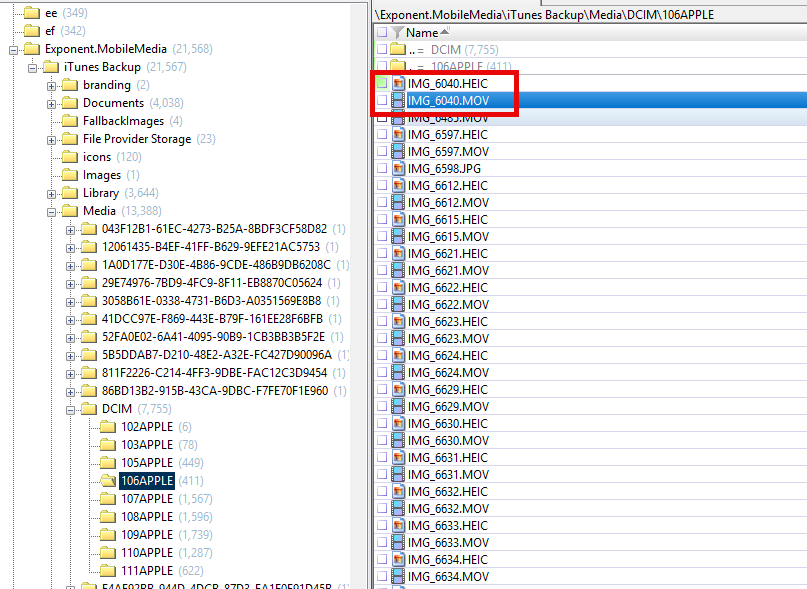
A note on HEIC files: While the FFMpeg project used by Exponent Faces is unable to work with HEIC files, Exponent Faces may still be executed on the .MOV files generated for Live Photos, which can be made available via Exponent Mobile Media.
Working with John Bradley at API Forensics
Unable to independently identify why Exponent Faces was unable to match my face while Excire could, I reached out to John Bradley at API Forensics to discuss my observations.
In less than a day, John allotted time to review my findings, identified an opportunity for improvement within Exponent Faces, and determined that updating the facial recognition engine would likely resolve the discrepancy. Awesome! That update was later released with Exponent 2.0.
Over the course of the year, I reached out to John intermittently and learned something new during each interaction, particularly when the discussion involved X-Ways Forensics. His upcoming classes focused on X-Tension development is an especially appealing learning opportunity.

Brett Shavers recently wrote about generosity and how it rapidly improved DFIR. Among many others, I thought of John while reading it.
Exponent Since Revision 2.0
As recent as Exponent v2.2.71.9467, I am able to replicate face-matching capability in Exponent Faces that is comparable to Excire.
Selfie Dataset
Video Actions: Extract Frames
Face Detection Actions: Detect AND Match Faces
Detection Precision Level: Medium (default)
Face enrollment: two jpeg files
False Acceptance Rate (FAR): 100:8 (For every 100 people, up to 8 mismatches are allowed; the default is 100:1.
Advanced Options: NA
I was able to achieve matching results comparable to Excire by increasing the False Acceptance Rate from the default, 100:1.
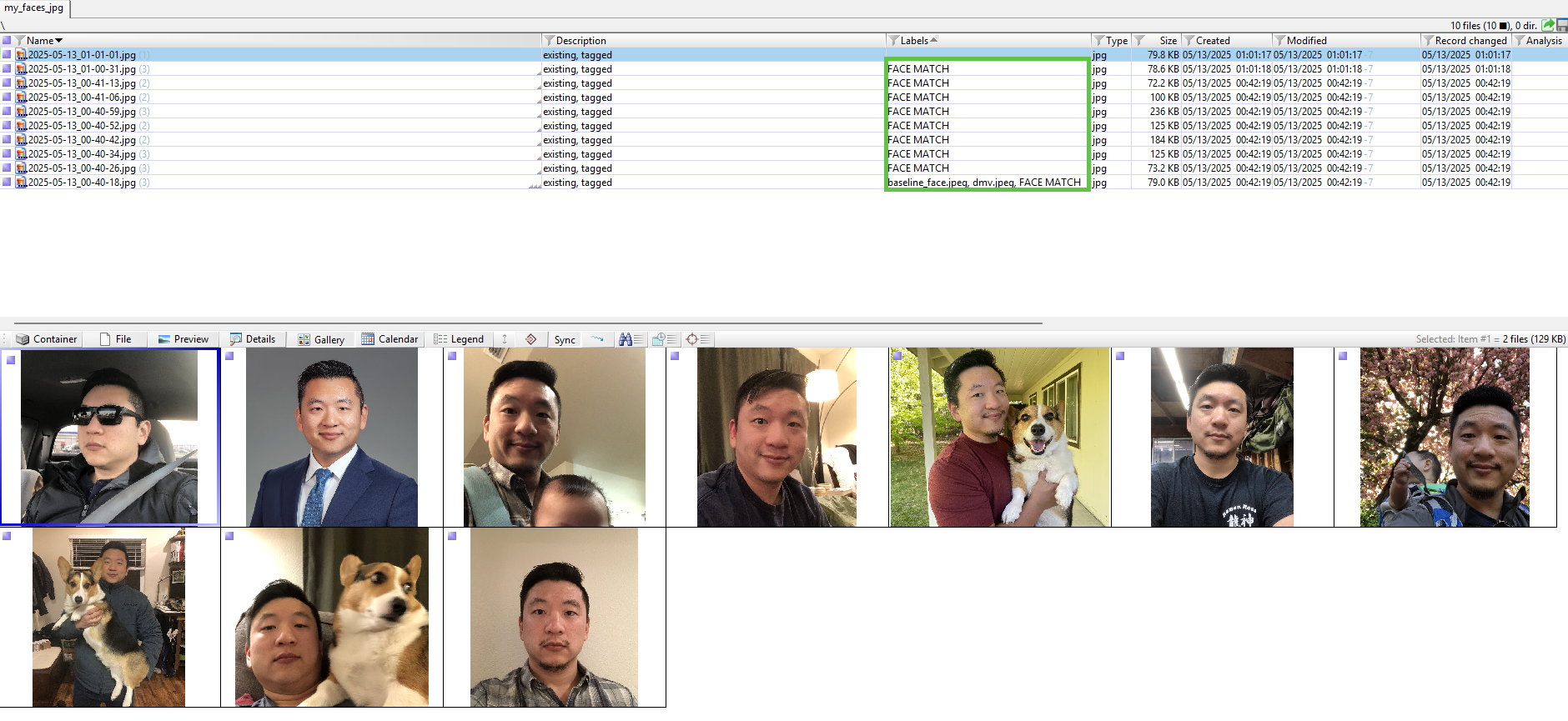
When faces are matched, for each extracted frame and any faces it detected/extracted from those frames, a child object of the enrolled reference image it matched with is created. The filenames of those child objects are appended with the string “MATCH” and a similarity percentage.

Security Camera Footage
I then applied the same False Acceptance Rate configuration to the security camera dataset.
The execution parameters were as follows:
Video Actions: Extract Frames
Face Detection Actions: Detect AND Match Faces
Detection Precision Level: Medium (default)
Face enrollment: two jpeg files
False Acceptance Rate: 100:8
Video Processing Options: Frame Extraction Rate, 200 milliseconds (default)
Advanced Options: NA
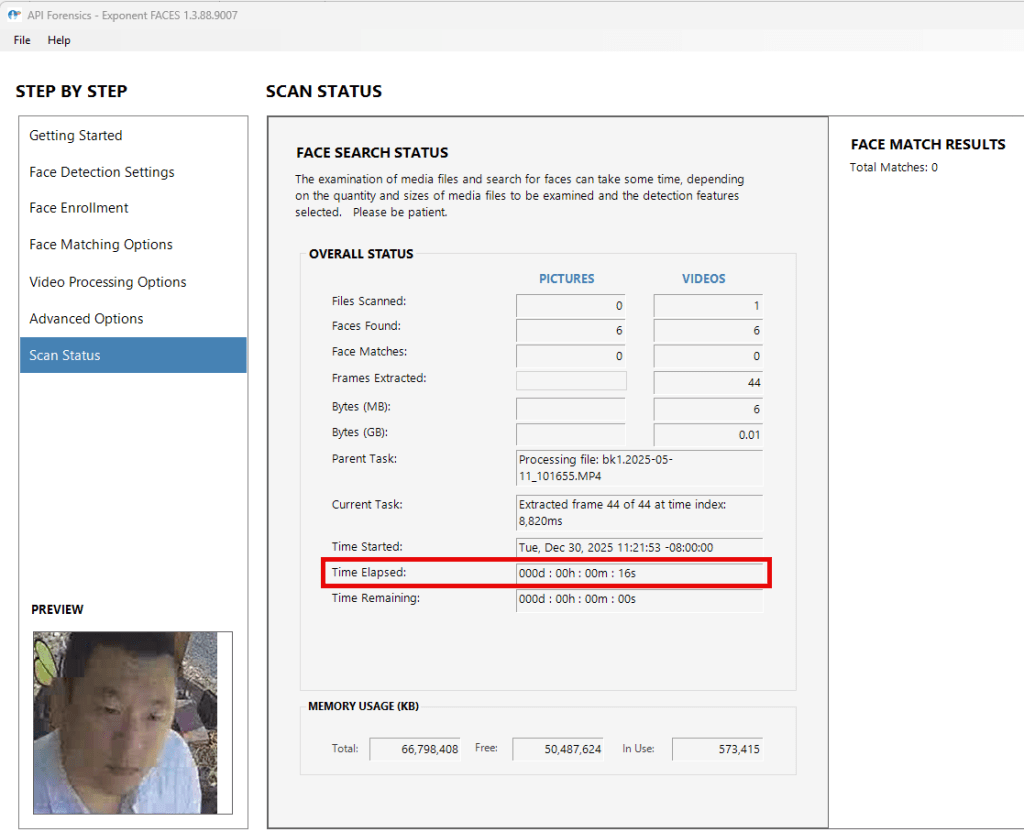
Using this configuration, Exponent Faces extracted 44 frames, six of which contained detectable faces. Of those six frames, four matched the baseline_face reference image. To me, this was reasonable. The dmv reference image is slightly distorted and taken nearly a decade ago.

Since the release of Exponent 2.0, the facial recognition engine is capable of matching my reference images to my specific datasets, and several additional improvements and fixes are also evident. Most notably, there is a clear performance improvement when extracting frames from video on a single video that is approximately 10 seconds long.

Potential Workflow
Either capability has its role depending on the investigative context. This section outlines how I would use Exponent Faces and Excire together to achieve a specific objective.
Objective: Identify an individual that may be present in a large dataset of videos.
Manually reviewing video footage to locate an individual who resembles a reference photograph is time-consuming and inherently subjective. An advantage of using tools such as Excire and Exponent Faces is their ability to leverage computing power to identify visual patterns, apply pre-determined descriptors or categories, and enable filtering based on those descriptors for further analysis and validation.
Below is a potential workflow that leverages complementary strengths of Exponent Faces and Excire that may assist with that:
- Identify and tag videos in X-Ways Forensics.
- Run the Exponent Faces X-Tension with the primary objective of extracting a sufficient number of frames that may contain faces; add criteria to match faces.
- Identify, then confirm that the extracted frames and faces—created as child objects of the processed videos—are properly tagged within X-Ways Forensics.
- Refine Volume Snapshot using the scope “Apply to tagged files only” and enable “Picture analysis and process” to “Find particular faces”.
- Review and validate the resulting matches.
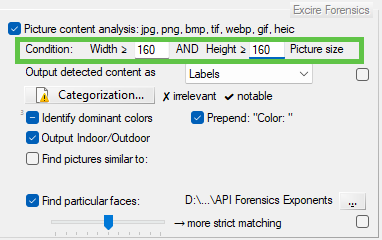
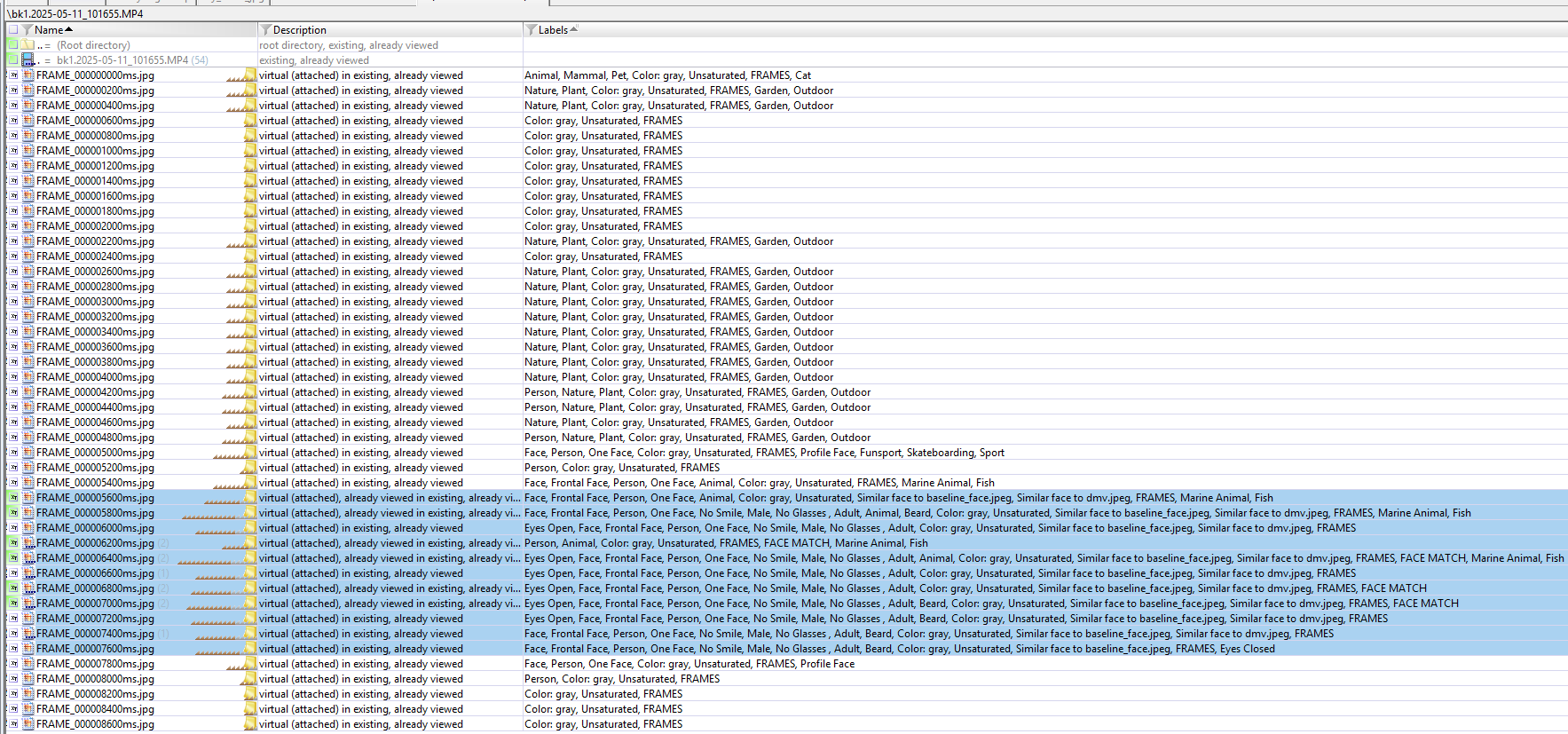
This workflow leverages Exponent Faces for scalable frame extraction and face detection, while Excire is used to further categorize extracted objects, identify additional visual themes, and provide a secondary opportunity to surface potential face matches that Exponent Faces may not have identified.
Closing thoughts
While beyond the original scope of this exploration, I would be interested in examining formal evaluation frameworks for measuring the effectiveness of facial recognition capabilities in forensic tools. When reflecting on existing methodologies, the EDRM technology assisted review (TAR) framework comes to mind, along with the guardrails provided by the FACT Framework when using AI-assisted tools for triage and organization (Shavers 2025).
My day-to-day casework does not require most of what the Exponent X-Tension library offers, but I have personally benefited from extended, hands-on exploration over the past year. This exploration reinforced how AI-driven tools such as Excire and Exponent Faces continue to have limitations, while also demonstrating meaningful long-term potential as the underlying technology matures.
Tangential Thought on AI
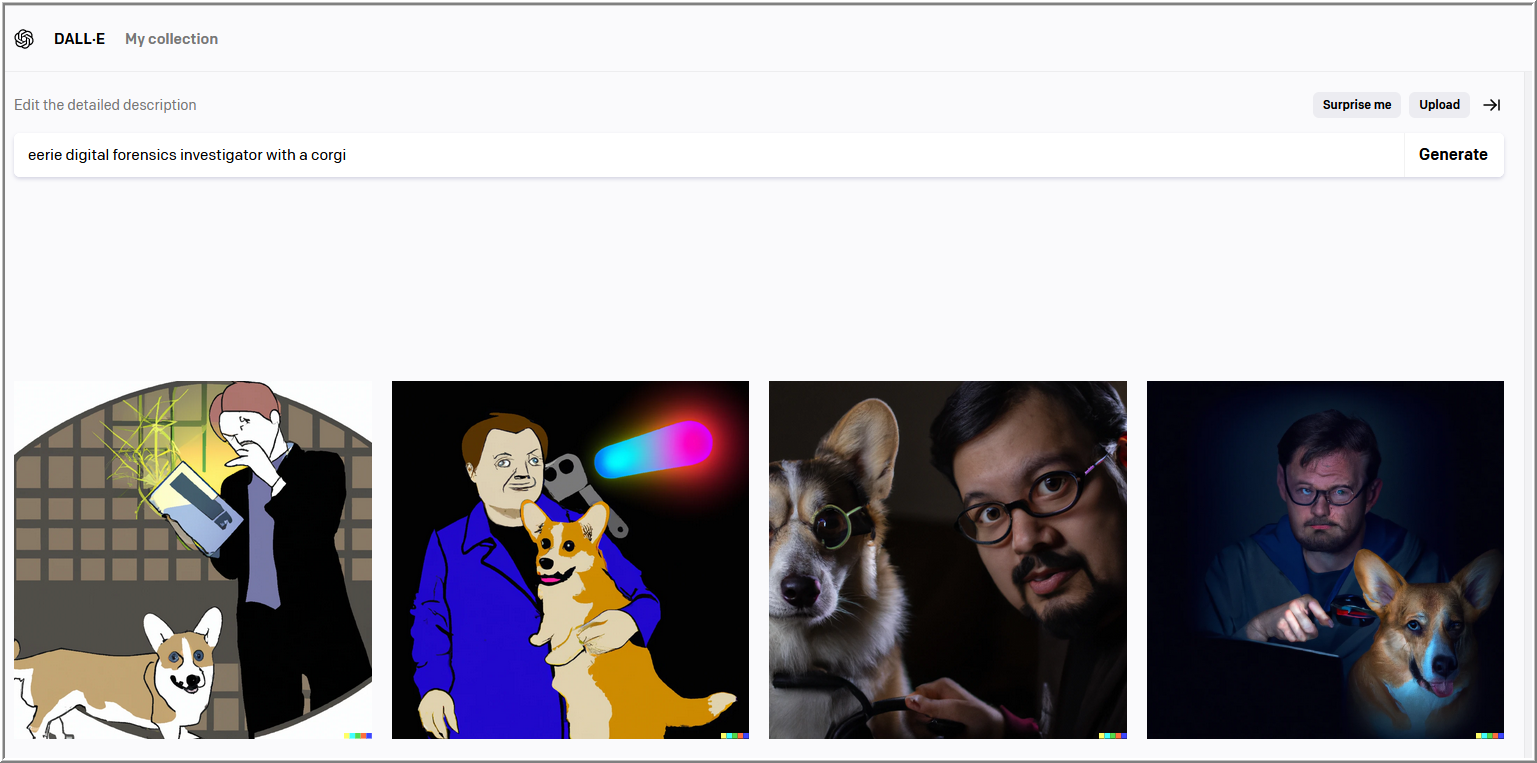
I repeated a prompt originally used with DALL-E in 2022, this time using ChatGPT in 2025. While largely anecdotal, the comparison serves as a reminder of how rapidly AI-driven capabilities evolve, often in ways that are difficult to appreciate without a comparison.

Initial exploration of Exponent Faces revealed a notable difference in face-matching outcomes when compared to Excire for my specific dataset. Exponent Faces, however, provided a reliable and granular method of extracting frames from videos. With updates implemented since Exponent 2.0, Exponent Faces now includes an improved facial recognition engine, expanded configuration options, and observable performance improvements. Taken together, these changes bring its matching capability to a level that is comparable to Excire, while still offering advantages in video frame extraction, clip creation, and the extensibility provided by the broader Exponent X-Tension library from API Forensics.
A key takeaway from this experience is that testing and validation alone are not sufficient. Communicating findings back to tool developers is equally important, as it creates opportunities for improvement that benefit both practitioners and vendors. The responsiveness and enthusiastic engagement from John Bradley of API Forensics was instrumental in translating observations into observable improvements.
- Shavers, B. (2025). The FACT Attribution Framework v1.1 (Version 1.1 release). Zenodo. https://lnkd.in/gaRG92n3
- Z. Sinno and A.C. Bovik, “Large-Scale Study of Perceptual Video Quality”, IEEE Transactions on Image Processing, vol. 28, no. 2, pp. 612-627, February 2019 [paper]
- Z. Sinno and A.C. Bovik, ” Large Scale Subjective Video Quality Study”, 2018 IEEE International Conference on Image Processing, Athens, Greece, October 2018. [paper]
- Z. Sinno and A.C. Bovik, “LIVE Video Quality Challenge Database”, Online: http://live.ece.utexas.edu/research/LIVEVQC/index.html, 2018.
Disclosure
I independently paid full price for Exponent for the first year. I later received a discounted subscription from API Forensics for an additional year to continue using and exploring the product after Exponent 2.0 was released. This post was not commissioned, and all opinions expressed here are my own.
Feature image generated with WordPress’ Jetpack AI Assistant.

 mr. eerie
Leave a comment